
Automated Timekeeping Systems: DCAA Requirements for SaaS Platforms
Your company migrated to a popular cloud-based timekeeping platform promising “DCAA compliance in minutes” with automated features, mobile access, and seamless integration. During your accounting system audit, DCAA discovered the system allowed employees to edit historical timesheets without supervisor re-approval, lacked audit trails showing who changed what and when, permitted supervisors to modify employee entries without documentation, and couldn’t demonstrate whether time was recorded daily or reconstructed weekly. DCAA issued a significant deficiency determination questioning the reliability of $890,000 in labor costs, citing timekeeping system inadequacy regardless of vendor compliance claims. Here’s what contractors miss about SaaS timekeeping platforms: marketing claims about DCAA compliance don’t guarantee your specific configuration, implementation, and usage patterns meet regulatory standards—you need systems configured to enforce daily recording, maintain comprehensive audit trails, prevent unauthorized changes, require meaningful supervisor approval, and generate documentation proving compliance rather than assuming vendor defaults satisfy requirements regardless of how you actually use the platform. Understanding how to select, configure, and operate SaaS timekeeping systems for DCAA compliance isn’t about trusting vendor promises—it’s about verifying system capabilities, implementing proper controls, training users on compliant practices, and maintaining documentation demonstrating that your specific deployment meets federal timekeeping standards through actual operation.
The Legal Framework Governing Automated Timekeeping System Requirements
Federal regulations establish specific timekeeping system standards that apply equally to manual, automated, on-premise, and cloud-based platforms. FAR 31.201-2(d) requires contractors to maintain adequate accounting systems for accumulating and billing costs, with “adequate” encompassing timekeeping systems capable of accurately recording labor distribution supporting direct and indirect cost allocation. Technology deployment method—whether SaaS, installed software, or paper timesheets—doesn’t modify compliance requirements, with cloud platforms facing identical adequacy standards as traditional systems despite architectural differences.
The timekeeping adequacy criteria under DFARS 252.242-7006(c)(2) require accounting systems to identify costs by contract line item and establish accurate labor distribution based on actual activities. This mandates timekeeping systems that: require daily time recording rather than weekly or monthly summary entry, maintain charge codes supporting contract-specific cost accumulation, prevent backdating or reconstruction from memory, implement supervisor review and approval workflows, and preserve audit trails documenting all changes with user identification and timestamps. Understanding DCAA compliance requirements means recognizing that SaaS platforms must satisfy these functional requirements through platform configuration, control implementation, and usage discipline regardless of vendor marketing about compliance capabilities.
DCAA Contract Audit Manual 6-410 establishes specific evaluation criteria for automated timekeeping systems including: controls preventing unauthorized access or changes, audit trail maintenance showing transaction history, supervisor approval requirements with documented evidence, daily recording enforcement preventing weekly reconstruction, and data integrity protection ensuring records cannot be altered without detection. These criteria apply to SaaS platforms identically to traditional systems, with DCAA evaluating whether cloud-based solutions provide required functionality and whether contractors actually utilize available controls rather than accepting vendor compliance claims without verification.
The critical consideration involves FAR 52.215-2, requiring contractors to provide access to records supporting contract costs. SaaS platforms must enable contractors to retrieve comprehensive timekeeping records, audit trails, approval documentation, and system logs supporting DCAA verification without vendor cooperation barriers, subscription limitations, or data export restrictions preventing full record access. Contractors lacking independent access to complete timekeeping data maintained in vendor systems face compliance risks when audit record production depends on vendor responsiveness rather than contractor control.
What Contractors Must Understand About SaaS Timekeeping Platform Challenges
Here’s what contractors miss about cloud timekeeping systems: default configurations rarely enforce all DCAA requirements, with vendors providing flexibility contractors must restrict through proper configuration choices. DCAA compliance explained emphasizes that compliant SaaS deployment requires deliberate configuration establishing daily recording requirements, approval workflows, audit trail activation, and change controls that default settings may not enforce. Your $50-per-user platform delivers compliance only when you configure it properly, train users correctly, and operate it consistently—not automatically through subscription purchase.
The historical edit capability problem emerges when SaaS platforms permit employees to modify prior period timesheets without triggering supervisor re-approval or creating visible audit trails documenting changes. This is where audits go sideways—contractors assume that requiring supervisor approval means the system prevents subsequent changes, but many platforms allow employees to edit approved timesheets with changes invisible to supervisors unless they specifically review timesheet histories. When DCAA discovers employees routinely edit prior weeks after approval, auditors question whether approved timesheet amounts represent actual time worked or malleable estimates subject to ongoing revision undermining cost reliability.
The bulk approval vulnerability surfaces when SaaS platforms enable supervisors to approve all employee timesheets with single clicks without viewing individual entries, reviewing distribution patterns, or validating charge code selections. Technology enabling efficient approval shouldn’t eliminate meaningful review—supervisors clicking “approve all” without examining individual timesheets perform the rubber-stamp approval that creates control failures regardless of electronic workflow sophistication. DCAA timekeeping requirements mandate individual timesheet review, not just workflow completion, with bulk approval features requiring configuration preventing supervisor bypass of review obligations.
The mobile access control weakness manifests when smartphone and tablet applications provide different functionality than web interfaces, potentially lacking controls that desktop access enforces. Your carefully configured web platform requiring daily entry might have mobile apps permitting weekly batch entry, lacking approval requirements, or missing audit trail documentation. When employees predominantly use mobile apps bypassing desktop controls, your compliant configuration becomes irrelevant as actual usage occurs through uncontrolled channels. Platform control consistency across all access methods—web, mobile, API integrations—becomes essential to preventing control circumvention through usage channel selection.
The audit trail inadequacy emerges when SaaS platforms maintain incomplete change logs, retain histories for limited periods, or lack detail supporting DCAA verification. Generic audit trails showing “timesheet modified” without identifying specific changes, user identities, timestamps, or before/after values provide insufficient documentation for auditors evaluating labor distribution reliability. When DCAA requests documentation supporting timesheet accuracy and you cannot produce comprehensive change histories because your SaaS platform doesn’t capture or retain adequate audit data, you’ve discovered that compliance marketing doesn’t guarantee compliance capability.
The data export limitation problem surfaces when contractors cannot extract complete timekeeping data in formats supporting DCAA review without vendor assistance, special tools, or format conversion introducing error risk. Platforms restricting data access to summary reports, dashboard views, or limited export options prevent contractors from producing comprehensive audit support that record access requirements mandate. When your subscription contract limits data retrieval, imposes export fees, or requires vendor involvement for comprehensive record production, you’ve created audit support barriers potentially violating record access obligations.
The integration control gap appears when SaaS timekeeping platforms interface with payroll, accounting, or project management systems without adequate controls ensuring data accuracy during transmission. Automated integration creating discrepancies between timesheet totals and accounting system labor costs, introducing rounding errors, or failing to transmit approval documentation undermines the cost accumulation accuracy that integration should improve. When integration failures create reconciliation problems DCAA discovers during cost verification, the automation that promised efficiency becomes the compliance problem requiring expensive correction.
The configuration drift challenge emerges when SaaS vendors update platforms automatically, potentially modifying control features, changing user interfaces, or eliminating functionality without subscriber notification or consent. Your carefully configured compliant deployment becomes non-compliant after vendor updates modify approval workflows, disable audit trail features, or change default settings. Lacking change control over vendor updates creates compliance risks that traditional installed software doesn’t introduce, requiring systematic monitoring detecting configuration changes and implementing corrections maintaining compliance despite platform evolution.
Five Essential Steps for DCAA-Compliant SaaS Timekeeping Deployment
Step 1: Conduct Comprehensive Platform Evaluation Before Selection
Evaluate potential SaaS timekeeping platforms against specific DCAA requirements including: daily recording enforcement capabilities, supervisor approval workflow configuration options, comprehensive audit trail functionality, historical change prevention controls, mobile app feature parity with web access, data export and retrieval capabilities, integration control options with accounting systems, and vendor update management procedures. Request vendor demonstrations showing how platforms enforce daily recording, prevent backdating, maintain audit trails, and restrict unauthorized changes—don’t accept marketing claims without operational verification.
Review vendor service level agreements, data ownership terms, and record access provisions ensuring you maintain independent access to complete timekeeping data without vendor cooperation barriers. Verify that subscription termination doesn’t eliminate historical data access needed for audit support, that data export doesn’t require special fees or vendor services, and that you can retrieve comprehensive records in standard formats supporting DCAA verification. Platforms restricting data access or requiring vendor involvement for record production create audit support risks regardless of other compliance capabilities.
Obtain references from existing government contractor customers using platforms for DCAA compliance, specifically asking about audit experiences, configuration challenges, control effectiveness, and vendor support responsiveness. Customer experiences provide operational reality checks balancing vendor marketing claims, with successful DCAA audits representing better compliance evidence than vendor certifications or feature checklists.
Step 2: Implement Rigorous Platform Configuration Enforcing DCAA Requirements
Configure selected platforms with strict controls enforcing compliance requirements including: mandatory daily timesheet entry preventing weekly or batch recording, automated reminders prompting employees to record time each day, lockout periods preventing modification of prior periods after supervisor approval, required supervisor individual timesheet review eliminating bulk approval shortcuts, comprehensive audit trail activation capturing all changes with user and timestamp detail, charge code validation preventing invalid selections, and mobile application restrictions ensuring consistent controls across access methods.
Document all configuration decisions with written rationale explaining why specific settings were selected, how configurations enforce DCAA requirements, and what controls prevent compliance violations. This configuration documentation supports audit defense while providing reference material ensuring system modifications don’t inadvertently disable critical controls. Maintain configuration documentation as living reference updated when platform changes, business requirements evolve, or compliance understanding improves.
Establish vendor update monitoring procedures requiring notification of platform changes, review of update impacts on configured controls, and testing verifying compliance capabilities remain intact after updates. Implement change approval procedures preventing automatic vendor updates from deploying until configuration impact assessment confirms controls remain effective. This change control discipline prevents vendor-initiated modifications from introducing compliance gaps through configuration drift.
Step 3: Deploy Comprehensive User Training on Compliant Platform Usage
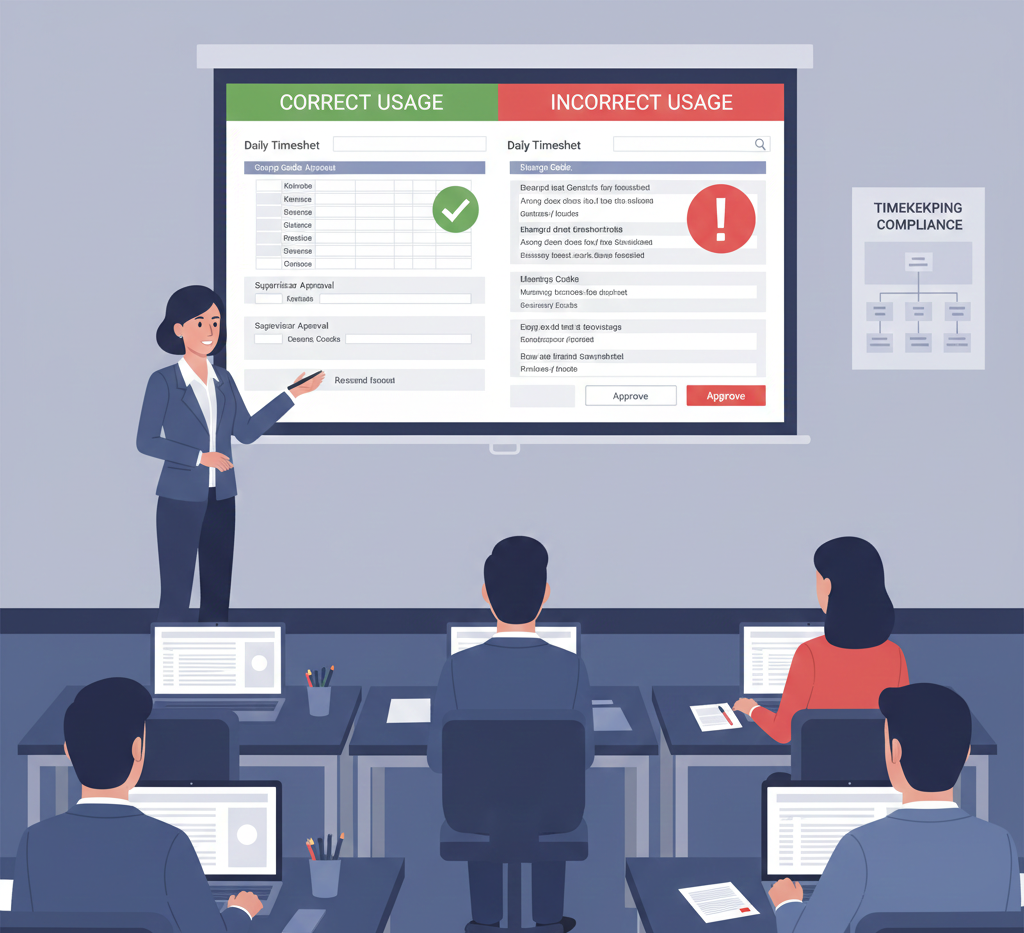
Develop structured training programs for employees covering: daily recording requirements explaining why time must be entered each day, charge code selection procedures describing proper code identification, timesheet correction protocols establishing how to fix errors without approval circumvention, mobile app usage guidelines ensuring consistent practices across access methods, and compliance importance emphasizing accurate labor distribution significance for cost reimbursement. Deliver training during onboarding before employees access timekeeping systems and provide annual refresher sessions reinforcing compliant practices.
Create supervisor-specific training addressing: individual timesheet review procedures requiring examination of each employee’s charges, approval responsibility emphasizing that approval certifies accuracy, questioning techniques for identifying potential errors or unusual patterns, bulk approval prohibition explaining why individual review cannot be shortcut, and documentation requirements for approval decisions and employee consultations. Supervisor training should emphasize that electronic approval systems don’t eliminate review obligations—they create documentation proving review occurred.
Implement training verification requiring users to demonstrate competency before receiving system access including practical exercises showing proper charge code selection, daily recording procedures, correction protocols, and approval workflows. Competency-based training ensures users can operate systems compliantly rather than assuming training attendance guarantees understanding. Maintain training records documenting employee instruction supporting audit defense when DCAA questions whether users understood timekeeping requirements.
Step 4: Establish Systematic Monitoring and Exception Reporting
Configure automated exception reporting identifying potential compliance violations including: late timesheet entries suggesting weekly reconstruction rather than daily recording, unapproved timesheets exceeding aging thresholds indicating supervisor approval deficiencies, post-approval modifications indicating control circumvention, unusual charge code patterns suggesting mischarging, bulk approval usage indicating inadequate supervisor review, and mobile versus web usage ratios revealing potential control bypass through channel selection. Distribute exception reports to responsible managers requiring investigation and corrective action.
Implement periodic compliance monitoring through systematic sampling examining: timesheet entry timeliness comparing entry dates to work dates, supervisor approval thoroughness reviewing approval comments and correction documentation, audit trail completeness verifying change logging functions properly, configuration stability confirming critical controls remain active, and integration accuracy reconciling timesheet totals to accounting system labor costs. Document monitoring findings and corrective actions, creating operational compliance evidence supporting audit defense.
Deploy compliance metrics measuring timekeeping performance including: daily recording compliance rates, average approval turnaround time, post-approval modification frequency, exception report resolution speed, and supervisor training completion status. Establish performance targets for each metric, monitor actual results against standards, and implement corrective action when performance deteriorates. Metrics provide objective compliance measurement supporting both internal management and DCAA assessment of timekeeping adequacy.
Step 5: Maintain Comprehensive Audit Trail Documentation and Record Retention
Verify platform audit trail functionality captures comprehensive change history including: user identity for all changes, precise timestamps showing when modifications occurred, before and after values documenting what changed, approval evidence showing supervisor review and authorization, and transaction context explaining why changes were made. Test audit trail completeness periodically through sample transactions verifying all required information captures accurately and remains retrievable through standard reporting or export functions.
Establish data retention procedures ensuring timekeeping records, audit trails, approval documentation, and system logs preserve for periods matching contract record retention requirements—typically six years after final contract payment. Verify that vendor data retention policies align with your retention obligations, that historical data remains accessible throughout retention periods, and that subscription termination doesn’t eliminate access to historical records needed for potential future audits. Implement periodic data backup procedures creating independent record copies protecting against vendor data loss or access restrictions.
Develop audit support procedures for efficient record production during DCAA audits including: standard report templates providing required timekeeping detail, data export processes generating comprehensive files in auditor-friendly formats, audit trail retrieval methods accessing change history documentation, and documentation packages combining timesheets with supporting approval evidence and explanatory context. Systematic audit support procedures demonstrate compliance professionalism while reducing audit duration through efficient information provision.
The Investment in Compliant SaaS Timekeeping Implementation
Implementing DCAA-compliant SaaS timekeeping systems costs between $5,000 and $25,000 for small to mid-sized contractors including platform selection, configuration, integration, training, and initial monitoring setup. Ongoing subscription costs typically range from $8 to $25 per user monthly depending on platform selection and feature requirements. These costs represent necessary infrastructure investments enabling cost-reimbursement contract performance rather than discretionary technology expenses.
Let me show you the value: contractors with properly configured SaaS platforms maintain compliant timekeeping supporting efficient DCAA audits with minimal questioned costs. They leverage cloud platform benefits including automatic updates, mobile access, and integration capabilities while maintaining compliance through proper configuration and usage discipline. They avoid the substantial questioned labor costs and accounting system deficiencies that result from assuming vendor compliance claims guarantee compliant deployment without verification.
Contractors with poorly configured SaaS platforms face massive questioned costs when DCAA discovers systems permit practices violating timekeeping requirements despite vendor marketing about compliance capabilities. They experience accounting system disapproval requiring emergency platform reconfiguration or replacement under DCAA pressure. They discover that attractive subscription pricing becomes expensive compliance failures when inadequate platforms or improper configuration create systematic timekeeping violations that audits expose.
Understanding SaaS Timekeeping Requirements Across Agencies and Contract Types
DCAA timekeeping requirements apply uniformly across Department of Defense, NASA, Department of Energy, and civilian agency contracts, meaning SaaS platform configuration must satisfy consistent standards regardless of customer agency. Cost-reimbursement and time-and-materials contracts face identical timekeeping requirements mandating daily recording, supervisor approval, and audit trail maintenance regardless of contract type, with fixed-price contracts carrying lighter requirements since labor distribution doesn’t directly determine government payment.
Platform compliance capabilities must address both current DCAA standards and reasonably anticipated requirement evolution, as SaaS platforms represent multi-year commitments requiring adaptation to regulatory changes. Select platforms with configuration flexibility enabling requirement modifications without vendor custom development, maintaining compliance through configuration adjustments rather than platform replacement when standards evolve.
Your Path to SaaS Timekeeping Success
The SaaS timekeeping landscape rewards contractors who invest in thorough platform evaluation, rigorous configuration, comprehensive training, and systematic monitoring rather than assuming vendor compliance marketing guarantees compliant deployment. DCAA evaluates timekeeping systems through operational testing examining actual usage patterns, with adequacy depending on how you configure and operate platforms rather than vendor feature claims.
Hour Timesheet provides purpose-built SaaS platform designed specifically for DCAA compliance with default configurations enforcing daily recording, individual supervisor approval workflows, comprehensive audit trails, and controls preventing unauthorized changes. Our platform eliminates configuration guesswork through compliance-focused design supporting government contractors from deployment through ongoing audit support.
Your timekeeping platform should enable compliance through thoughtful design and proper implementation, not create barriers requiring workarounds undermining regulatory requirements. Choose, configure, and operate SaaS solutions ensuring technology supports rather than complicates compliance obligations.